The tier list at your rank
Diamond, Mythic, Legendary and Masters play different metas, so the list is split by rank and opens on yours. Every Ranked mode, refreshed every two hours from real competitive battles.
Free Android app
Brawl Stars gives you seconds to pick. Leaving the game to check a tier list costs more of them than you have, so the answer comes to you instead: the meta at your rank, the best picks for your map and what beats the enemy, one tap away over the game.
No Google Play on your phone? Download the APK Version 1.30 · 2.9 MB · Android 8.0 or newer
On a computer?
Scan to open this page on your Android phone, where the app can actually be installed.
Not this one, not any of them. A browser tab cannot draw on top of another app — the sandbox forbids it, on every phone. Checking a tier list in a browser means leaving the draft, and leaving the draft is what costs you the pick.
An app can. The bubble sits on the edge of the screen, opens on a tap over the game, and folds away again.
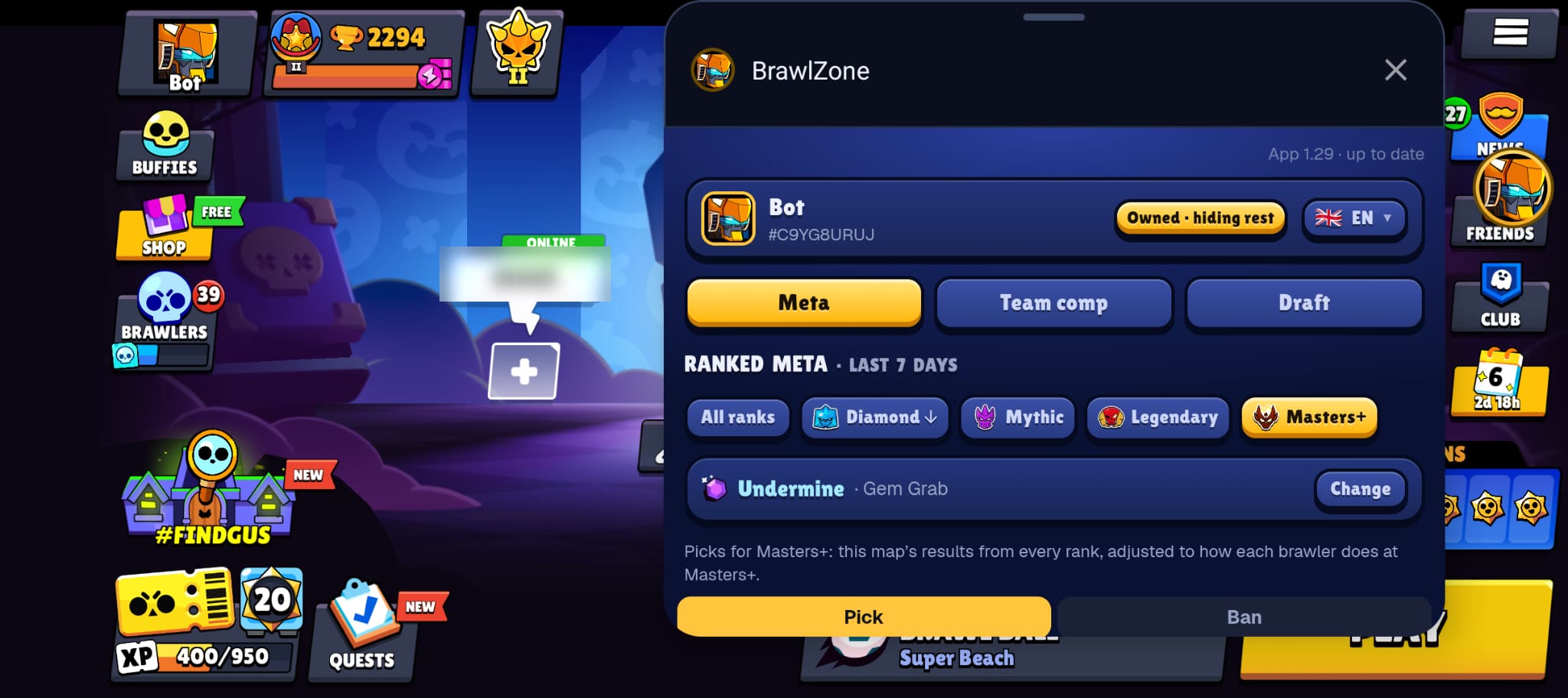
The same data as the site, cut down to what a draft needs.
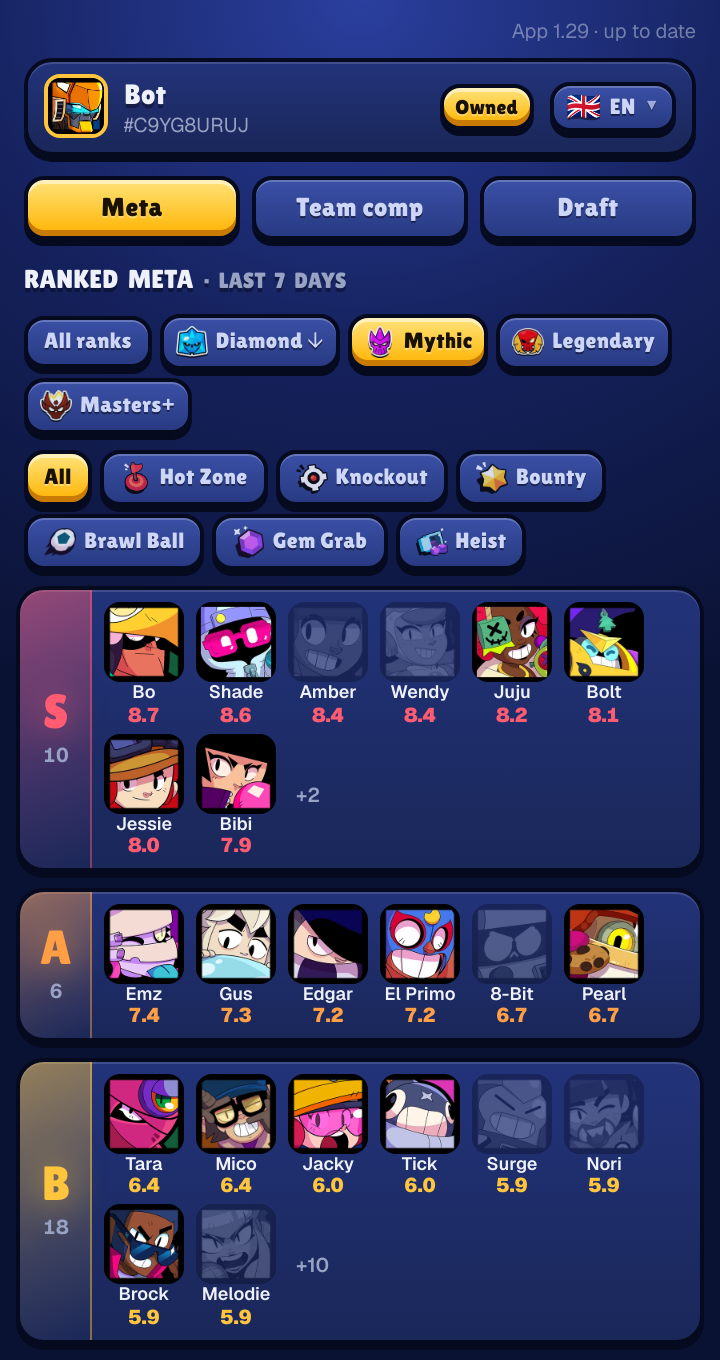
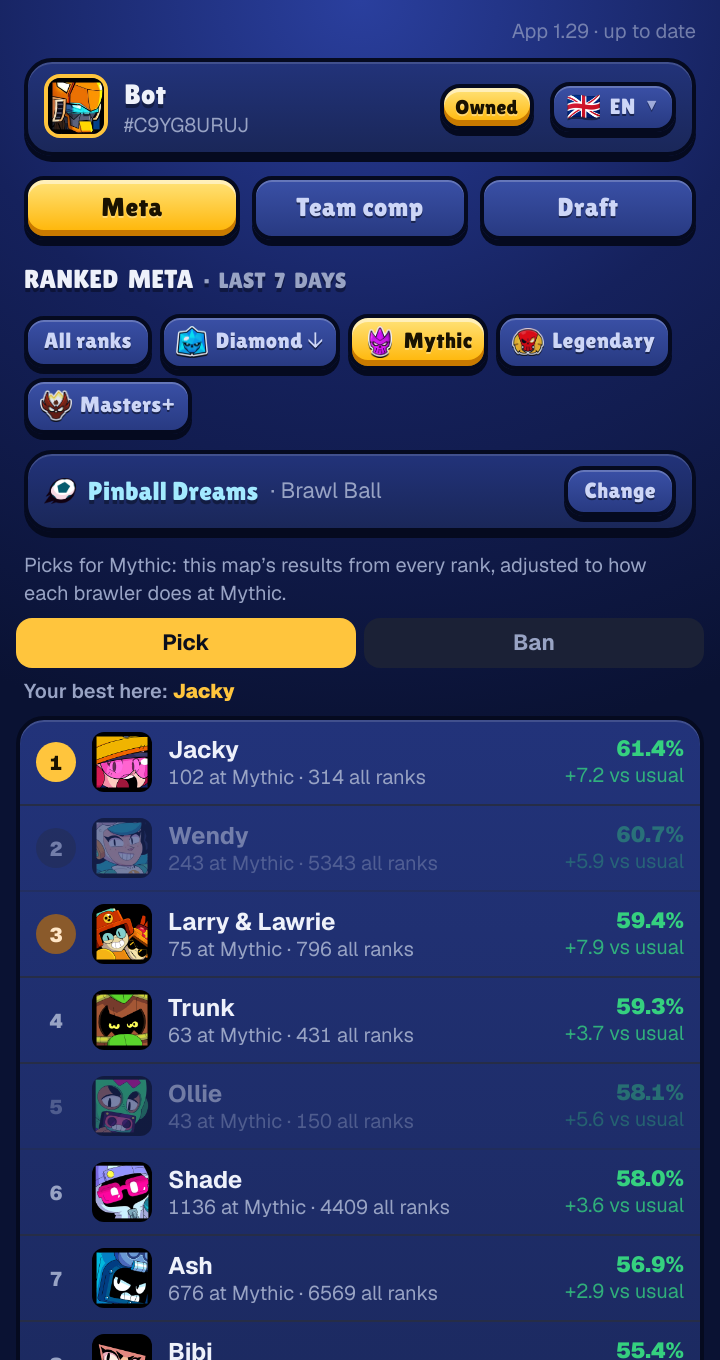
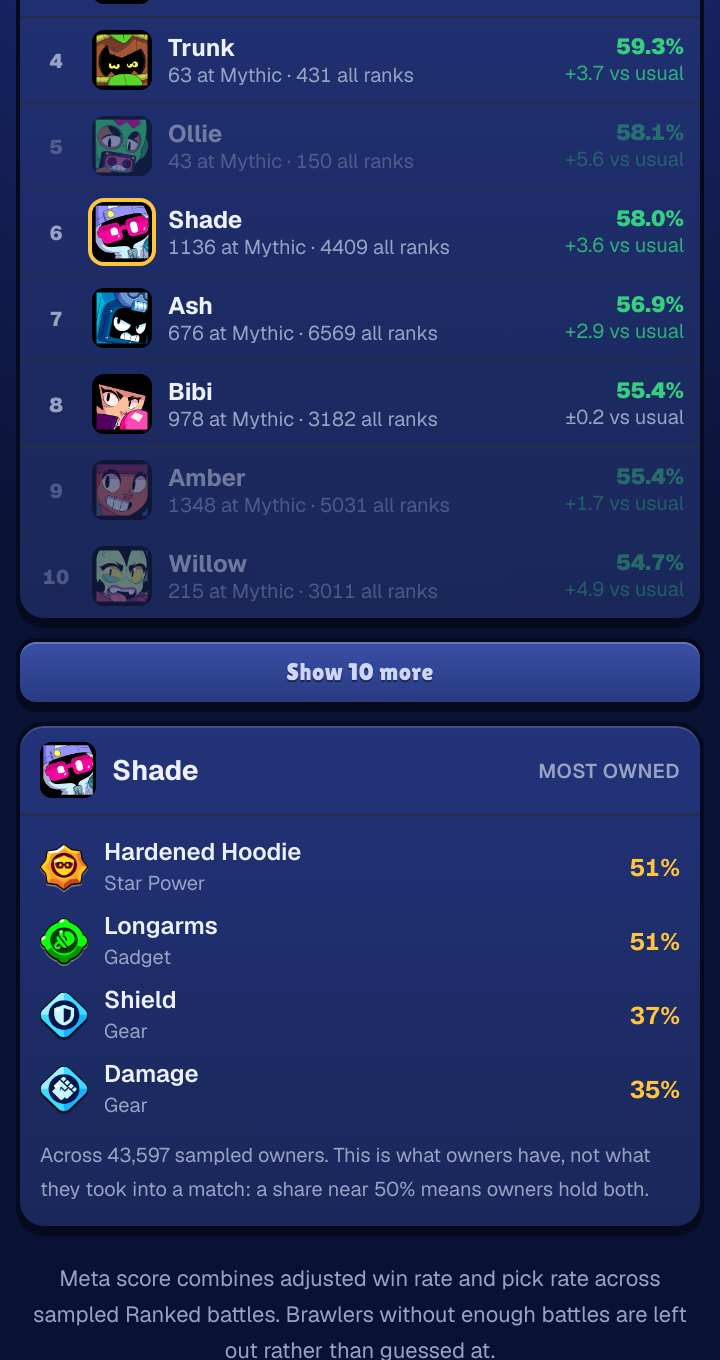
Diamond, Mythic, Legendary and Masters play different metas, so the list is split by rank and opens on yours. Every Ranked mode, refreshed every two hours from real competitive battles.
Ranked hands you one map, and the answer moves with it. Pick the map and get the brawlers that win there, with your own best pick named at the top.
The three that win together on your map, with the ones you own ticked.
Enter the bans and both teams' picks and it ranks what is left. Tap an enemy to see who beats them.
Tap any brawler for the star power, gadget and gears its owners actually run, with the sample size behind every number.
Add your player tag once: brawlers you own are marked, the rest greyed out or hidden, and you can narrow it to power 11 or hypercharged.
A second tab, for when you want more than the meta: the bans, your team, and theirs.
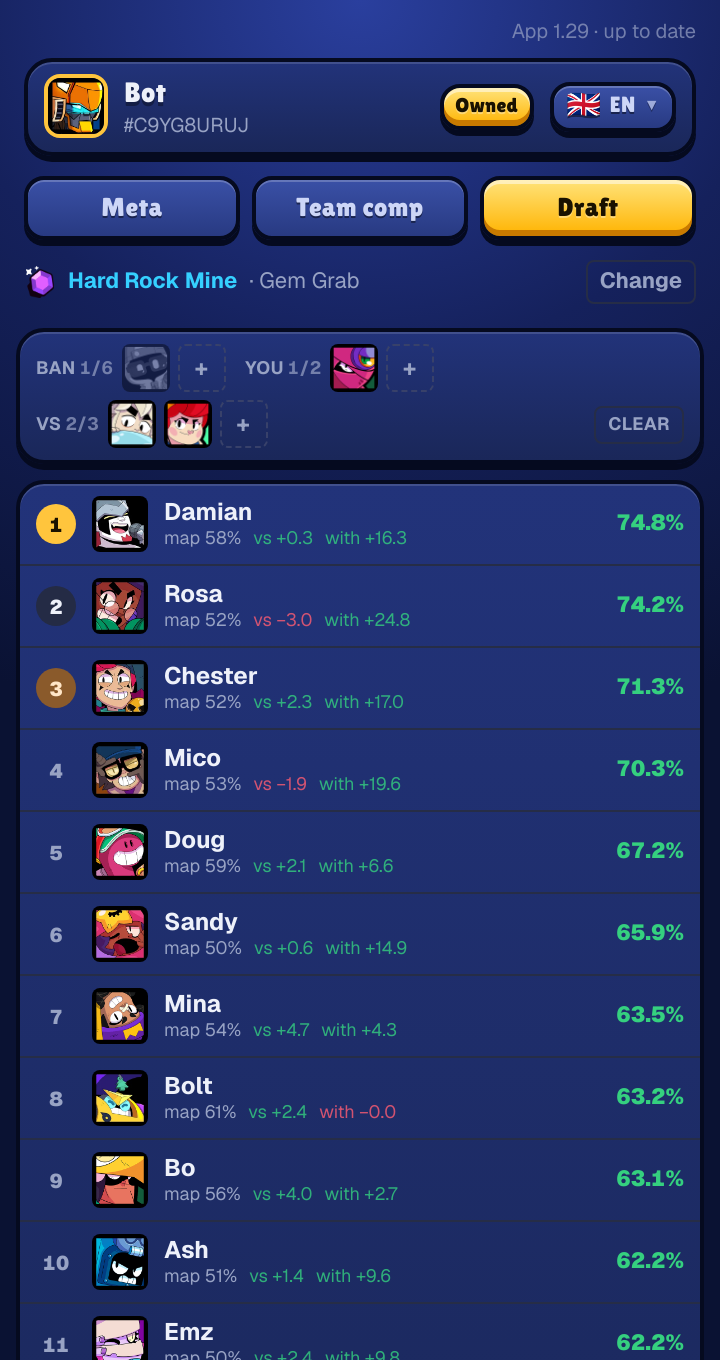
Enter the bans, what your team has taken and what theirs has, and the list reorders around all three. A brawler that is merely strong on the map is a different call from one that is strong on the map and answers what they just picked.
Every row shows its working: form on this map, edge against the enemies you named, edge alongside your team-mates. A suggestion you cannot check is a guess dressed up in a percentage — and mid-draft the reason is usually what decides it.
Tap an enemy pick to see the five brawlers that beat it most often at your rank, with a link to the full counters page on the site.
Thin evidence is flagged rather than hidden. A brawler backed by eleven battles on this map says so in red, because 52% off eleven battles and 52% off two hundred are not the same claim.
Your tag is the only setup there is, and it changes every list in the panel.
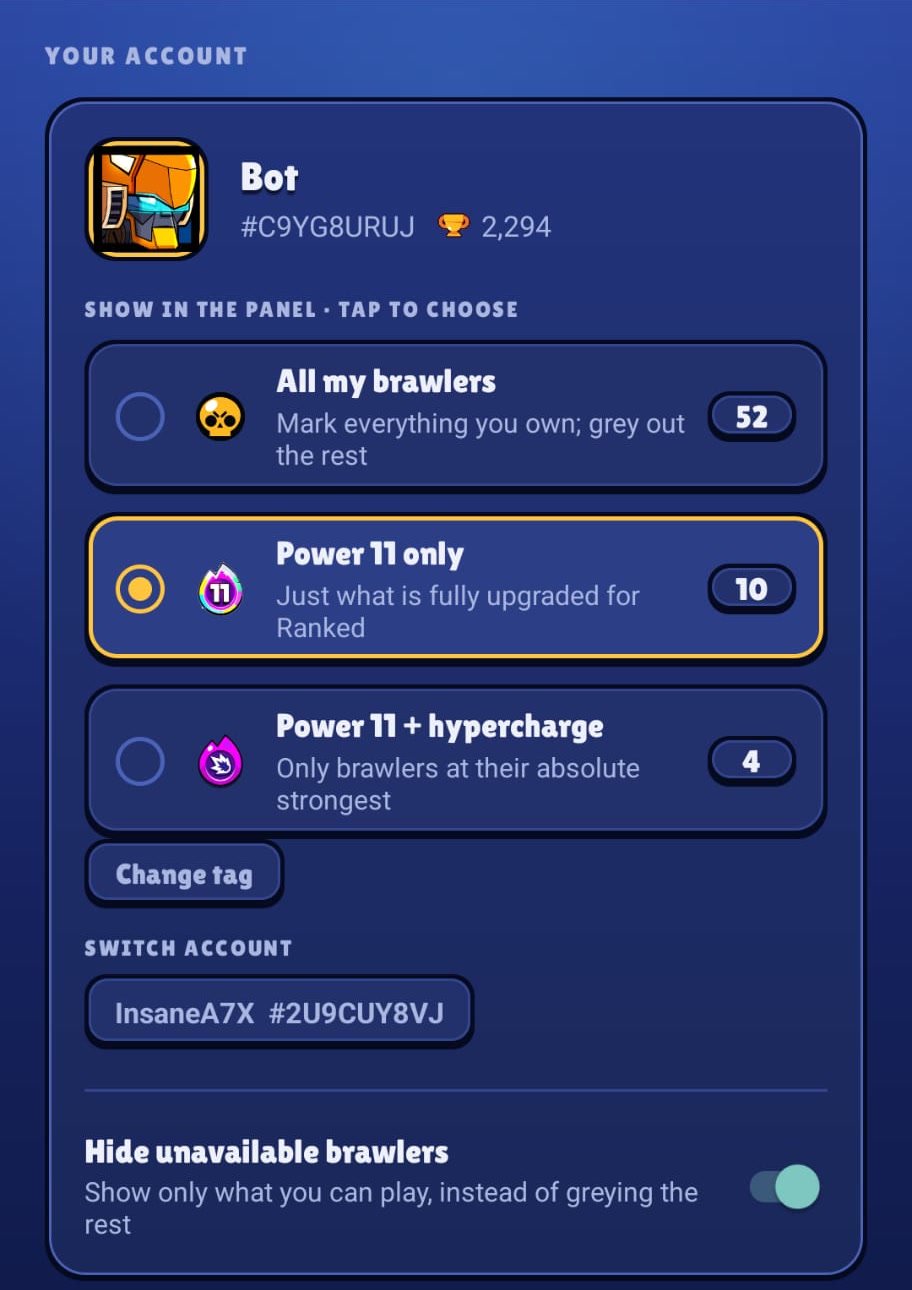
The app finds your account and puts your player icon on the bubble. Every pick the panel suggests is one you can actually make.
Every tag you use is saved. Switch between them from the account card; a long press removes one.
A short plan for your coins: the few brawlers that would give you a top pick in the most modes.
22 languages, with brawler, mode and map names exactly as the game writes them. Choose the bubble's size, how faint it gets when idle, and whether it tucks half off the edge.
Worth knowing before you install it, not after.
The bubble does not read your screen, your match, or which map you are on. It asks to draw over other apps and to show a notification, the one that says it is running. No screen capture, no storage access, nothing else.
It shows the stats; you make the picks. It does not touch the game or log in to your account: your player tag only looks up your public profile, the same one anyone can see on the site. No ads, no sign-up, no in-app purchases.
Five steps, and the fourth is where Android gets in your way.
Your browser asks whether to keep a file of this type. It is an app installer, so Chrome and Android both check with you first — that prompt is normal.
Android asks once per app that installs other apps. "Allow from this source" appears the first time; after that it remembers.
The first tap sends you to Android's "Display over other apps" screen, because no app is allowed to grant itself that permission.
Android blocks this permission for apps installed outside a store. Go to Settings › Apps › BrawlZone, tap the ⋮ menu at the top right, choose "Allow restricted settings", then try again. This catches almost everyone, and Android never explains it.
The bubble appears straight away and stays on top of whatever you open next, including the game.
Google Play Protect warns about any app installed outside the Play Store. That warning is about where a file came from, not about what is in it.
Confirm the file you got is the file published here. On a desktop: sha256sum brawlzone-bubble.apk
SHA-256
7eb010d03b2c78bbdc68c1839f7c69a685a3f46adc4e9fc383b6dc98727334c3Three gestures and a tile. There is nothing else to learn.
The panel folds out of the bubble. Tap the bubble again and it folds back in.
Put it wherever it is not in the way. It rests against the nearest edge when you let go, and stays there.
A target appears at the bottom of the screen while you drag. Drop the bubble on it, or use Stop in the notification.
Add the BrawlZone tile to Quick Settings: swipe down mid-match and tap it to show or hide the bubble, without opening the app.
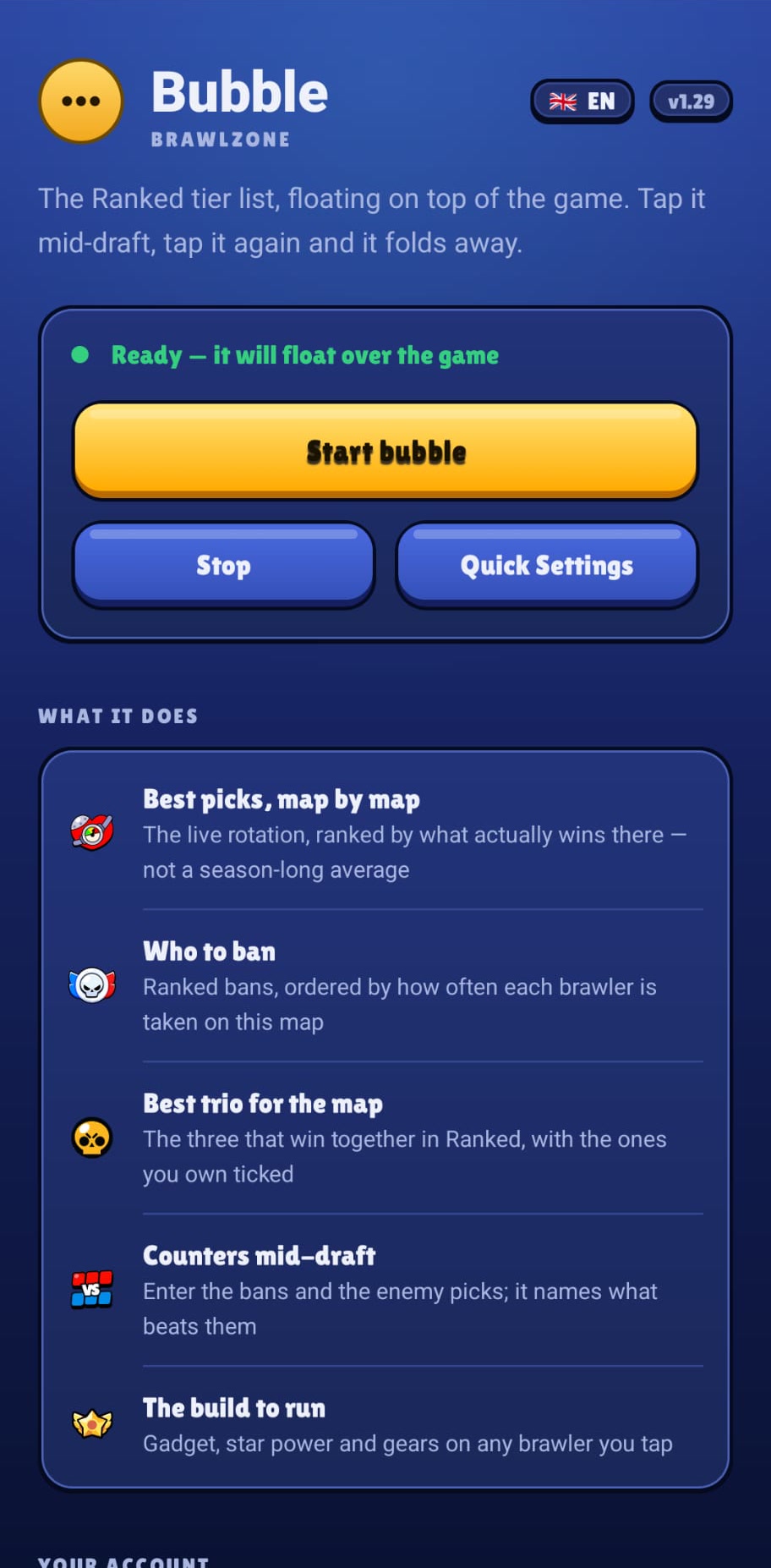
The app updates by downloading again — it installs over the top and keeps your permission.
Free, 2.9 MB, no account. Everything it shows is on the site too — the app only saves you the app switch, which is the part that costs you the draft.